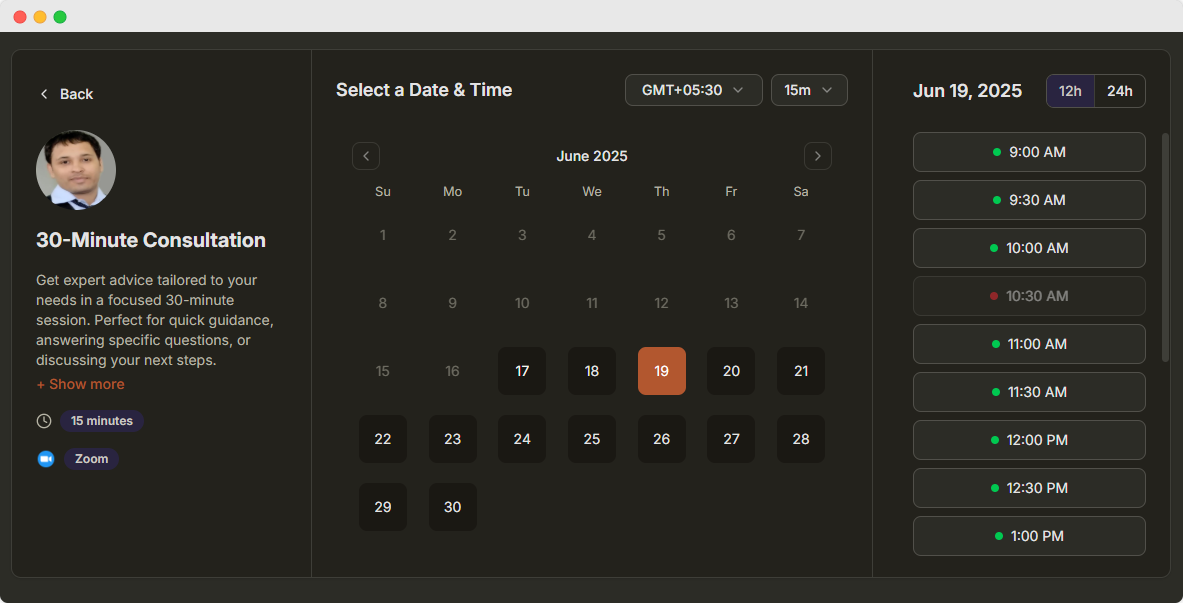
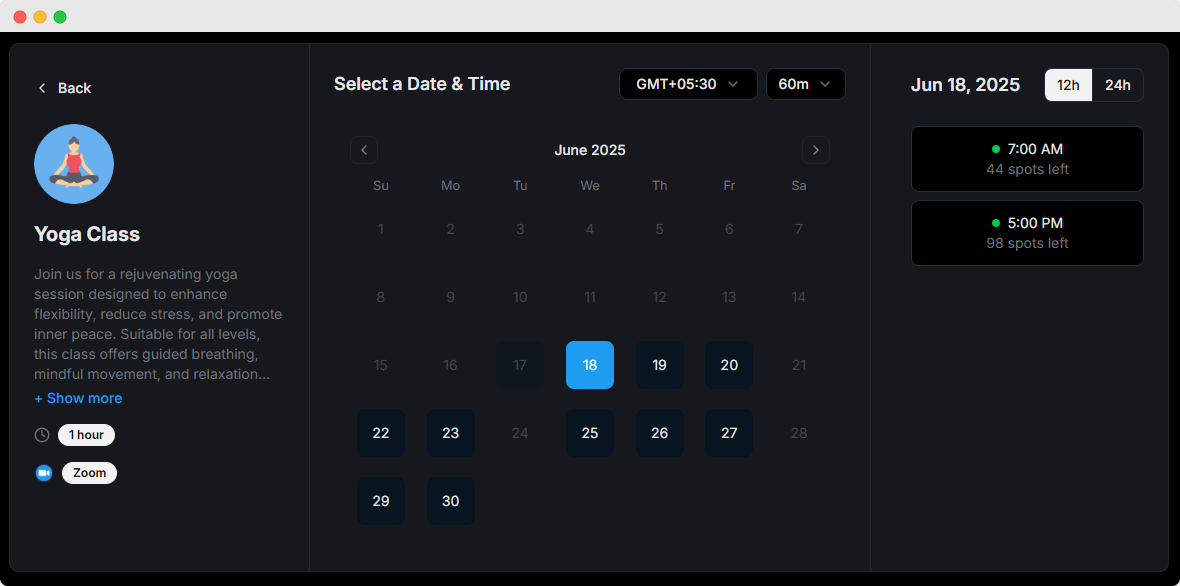
Group Scheduling Software for Classes and Events
Allow multiple attendees to book the same session with our group scheduling software. Perfect for classes, workshops, webinars, and group events.
Set capacity limits, collect payments, and manage registrations all in one place.
Customer rated
25,000+ Happy customers worldwide

4.8 out of 5

4.7 out of 5

4.7 out of 5
Powerful features for group scheduling
Everything you need to manage group bookings efficiently
Capacity Management
Set maximum attendee limits and waitlist options for each session. Automatically manage registrations and prevent overbooking.
- Flexible capacity limits
- Automatic waitlist management
Payment Processing
Accept payments and deposits with multiple payment gateways for secure transactions.
- Multiple payment methods
- Secure transactions
Automated Notifications
Send reminders and updates to all participants automatically via email and SMS.
- Email & SMS reminders
- Custom notification timing
Attendance Tracking
Monitor registrations and attendance for each session with detailed analytics.
- Real-time attendance
- Detailed reports
Flexible Scheduling
Create recurring sessions with custom frequency and duration. Set up weekly classes, monthly workshops, or one-time events with ease.
- Recurring session patterns
- Custom duration settings
Virtual Sessions
Host online classes with integrated video conferencing platforms.
- Zoom, Teams integration
- Auto-generated links
Product tour
See Dayschedule appointment booking in action
A quick look inside Dayschedule: create events, manage bookings, sync calendars and send reminders, all from one dashboard.
Set this up in minutes on your own DaySchedule account.
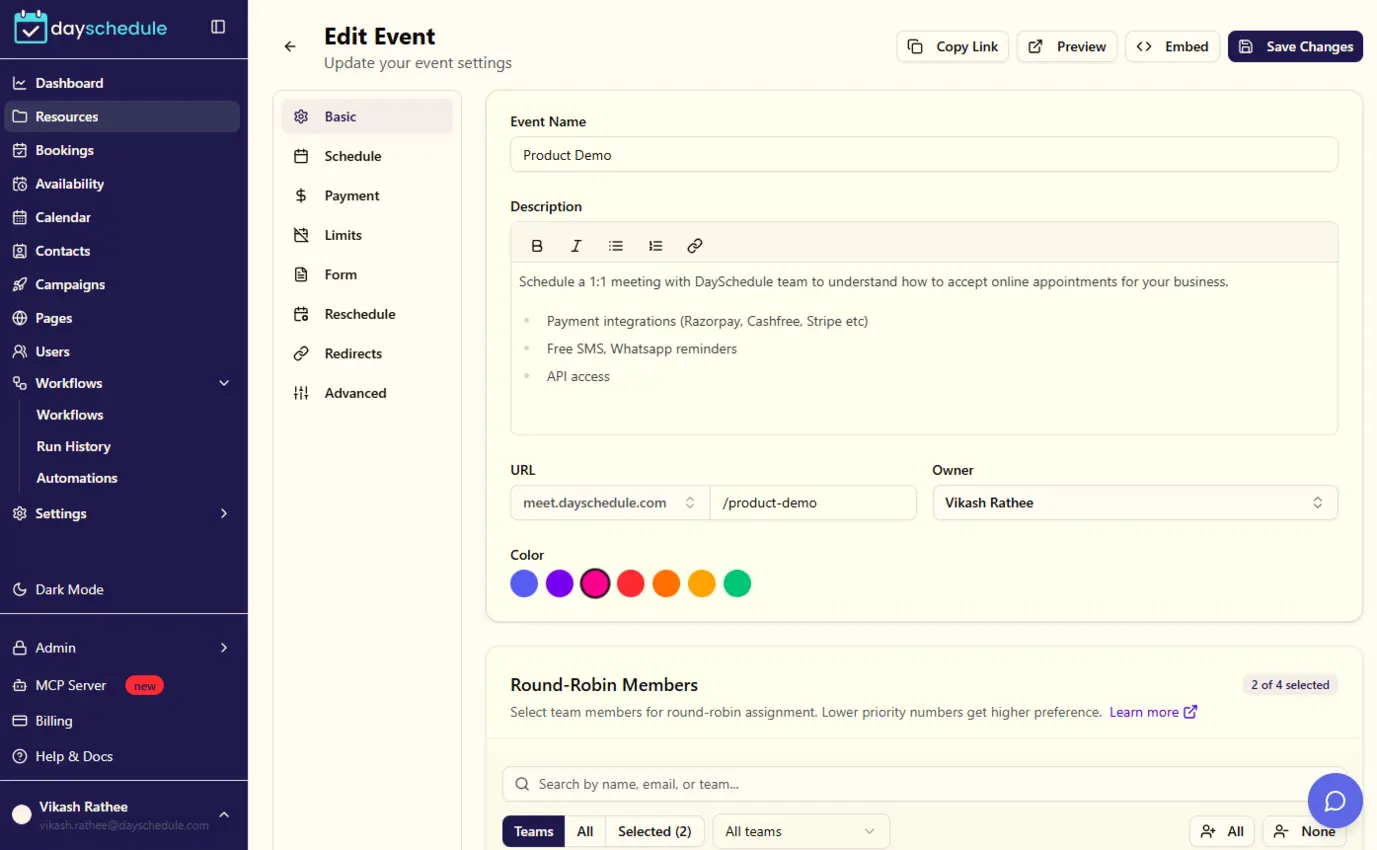
Sign up freeCreate your 1:1 event for appointments
Set up a bookable event in minutes. Choose the duration, location (in-person, phone or video call) and booking questions, then share the link with clients.
Set this up in minutes on your own DaySchedule account.
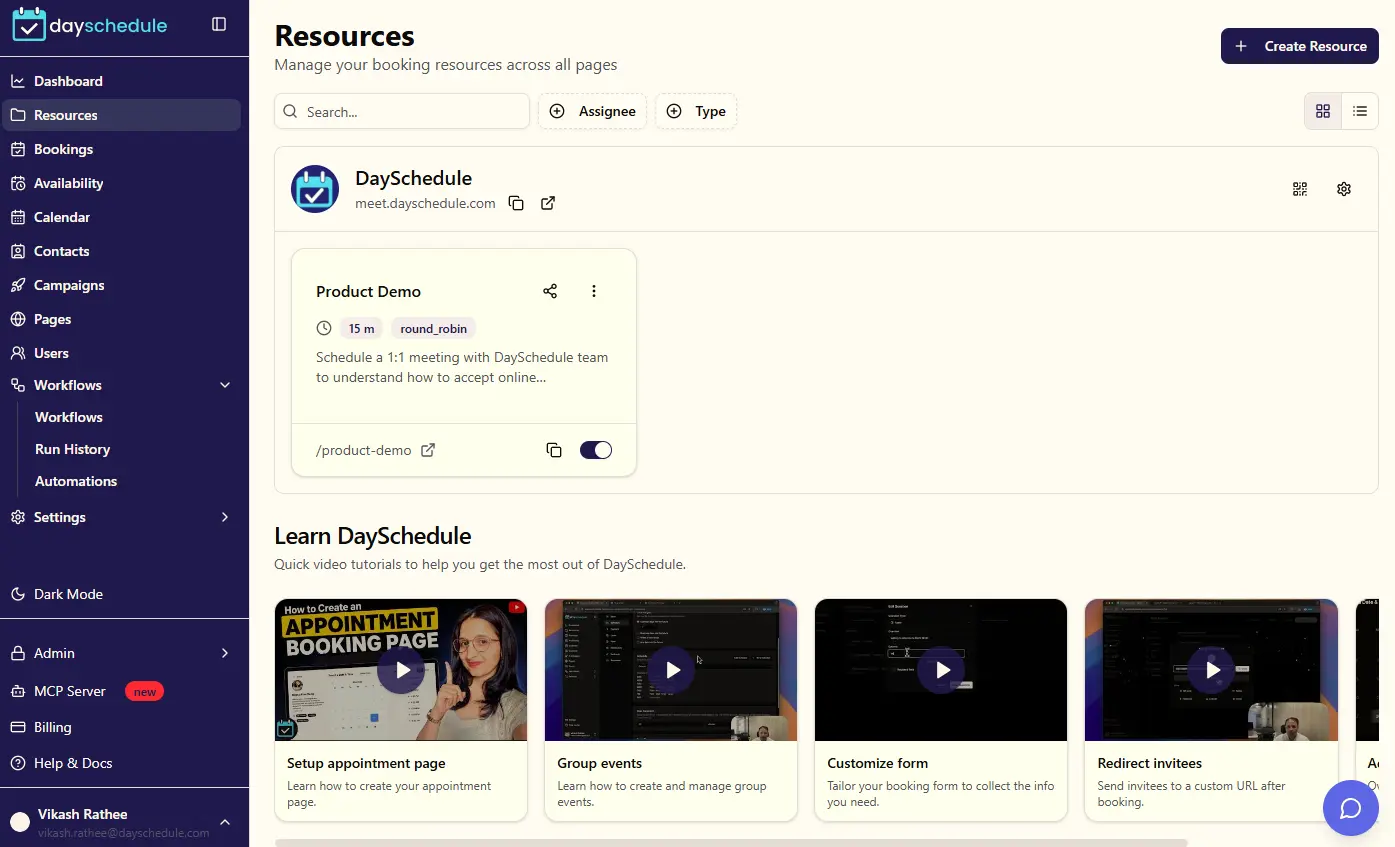
Sign up freeManage all your event types in one place
View, edit, duplicate or disable your booking pages from a single list, and copy a shareable link in one click.
Set this up in minutes on your own DaySchedule account.
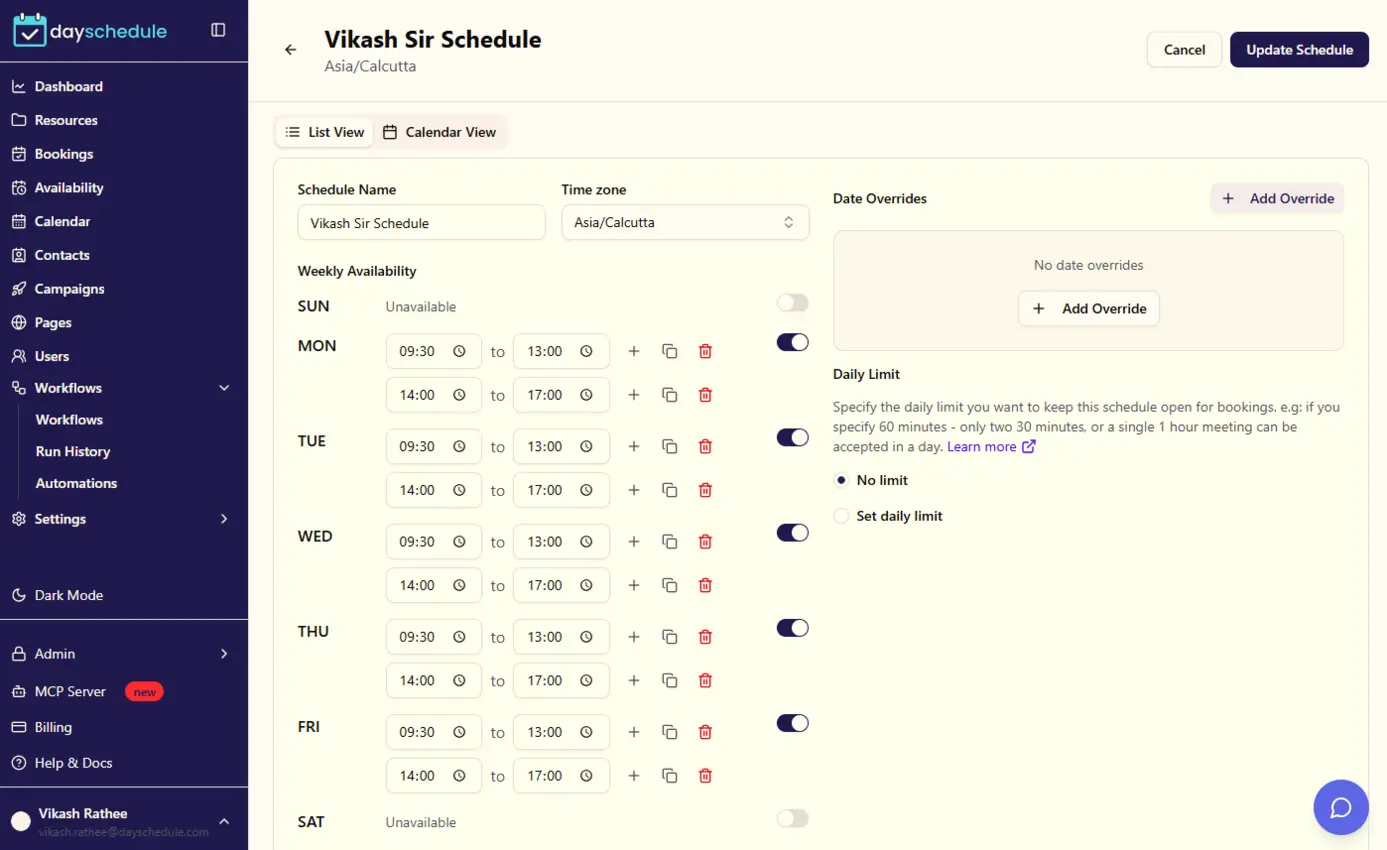
Sign up freeSet your working hours and schedules
Define weekly availability, add date overrides for holidays or days off, and let clients book only when you are actually free.
Set this up in minutes on your own DaySchedule account.
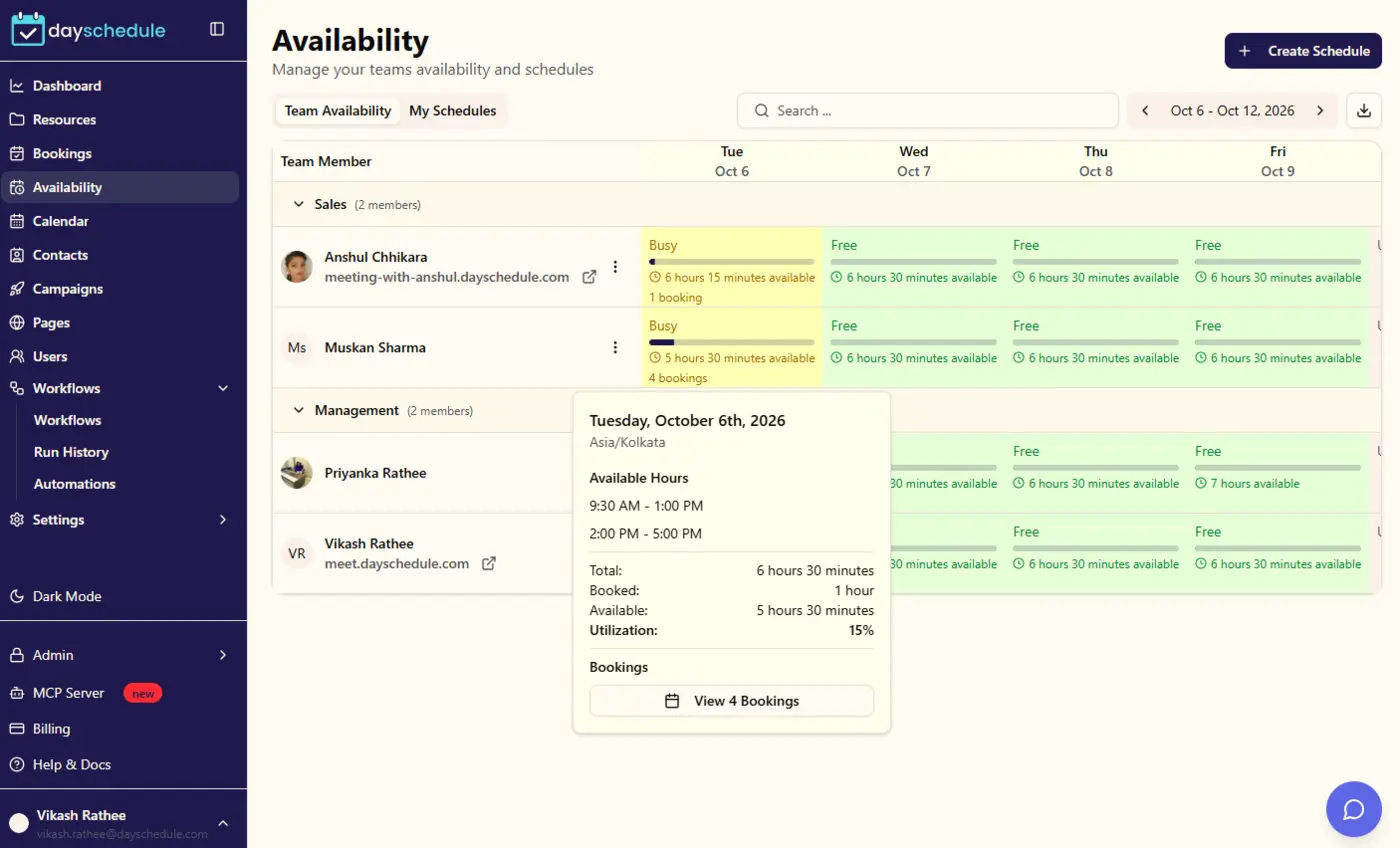
Sign up freeFind the right time across your team
Use round-robin or collective scheduling so clients can book with whichever team member is available, without any back and forth.
Set this up in minutes on your own DaySchedule account.
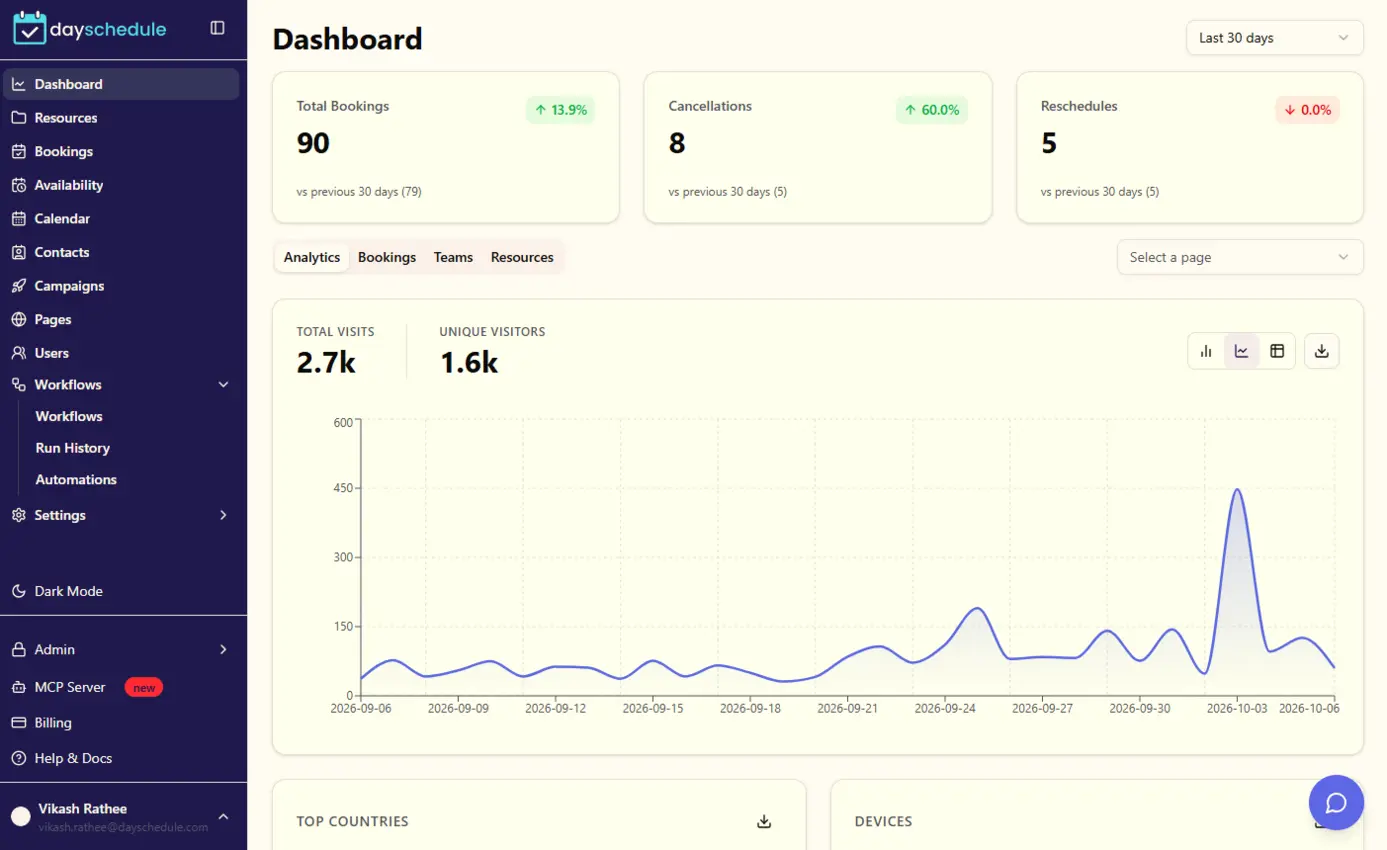
Sign up freeTrack every appointment from your dashboard
Get a clear overview of upcoming appointments, recent activity and booking trends as soon as you log in.
Set this up in minutes on your own DaySchedule account.
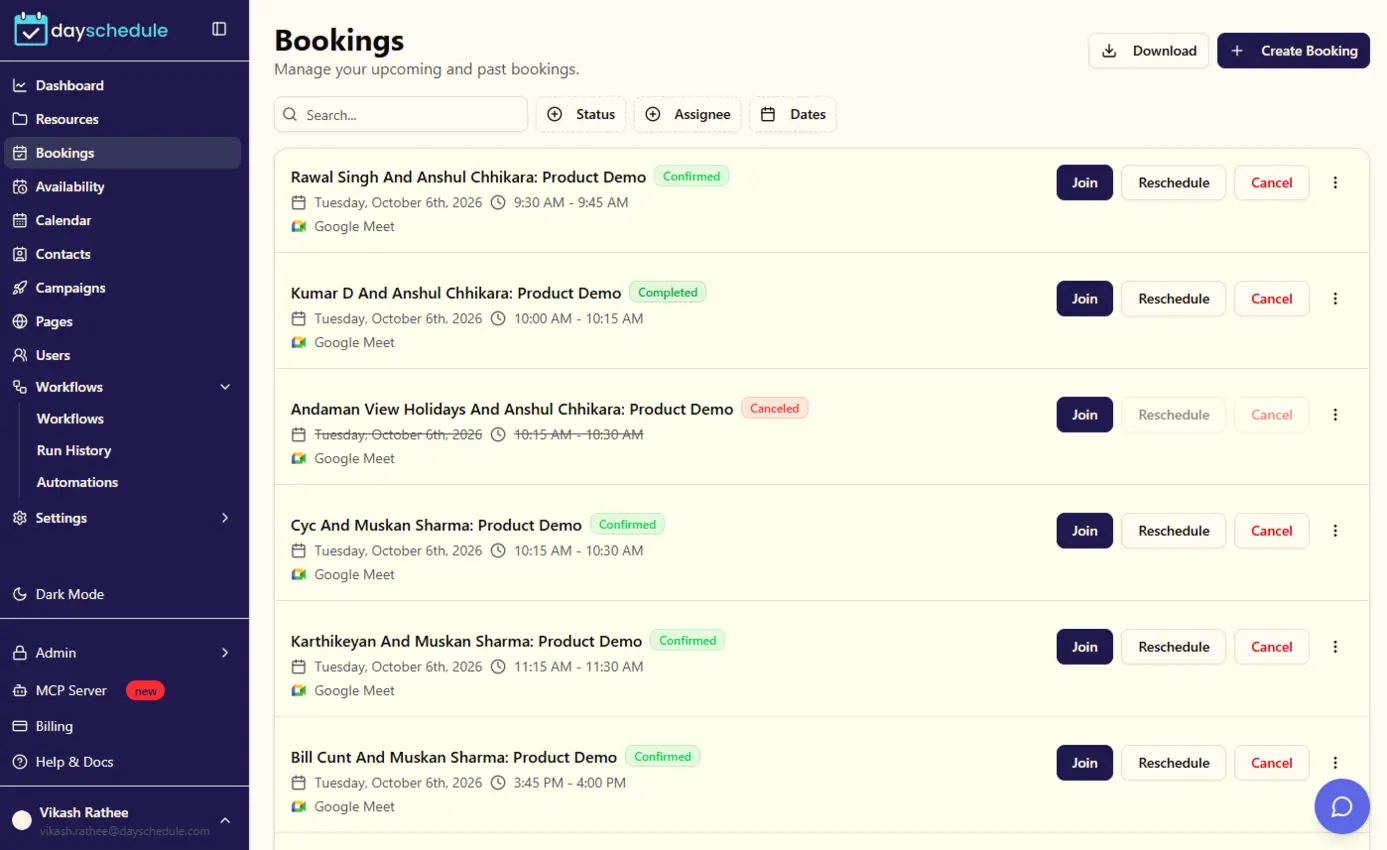
Sign up freeManage, reschedule or cancel bookings
See every upcoming and past booking, view invitee details, and reschedule or cancel appointments with a click.
Set this up in minutes on your own DaySchedule account.
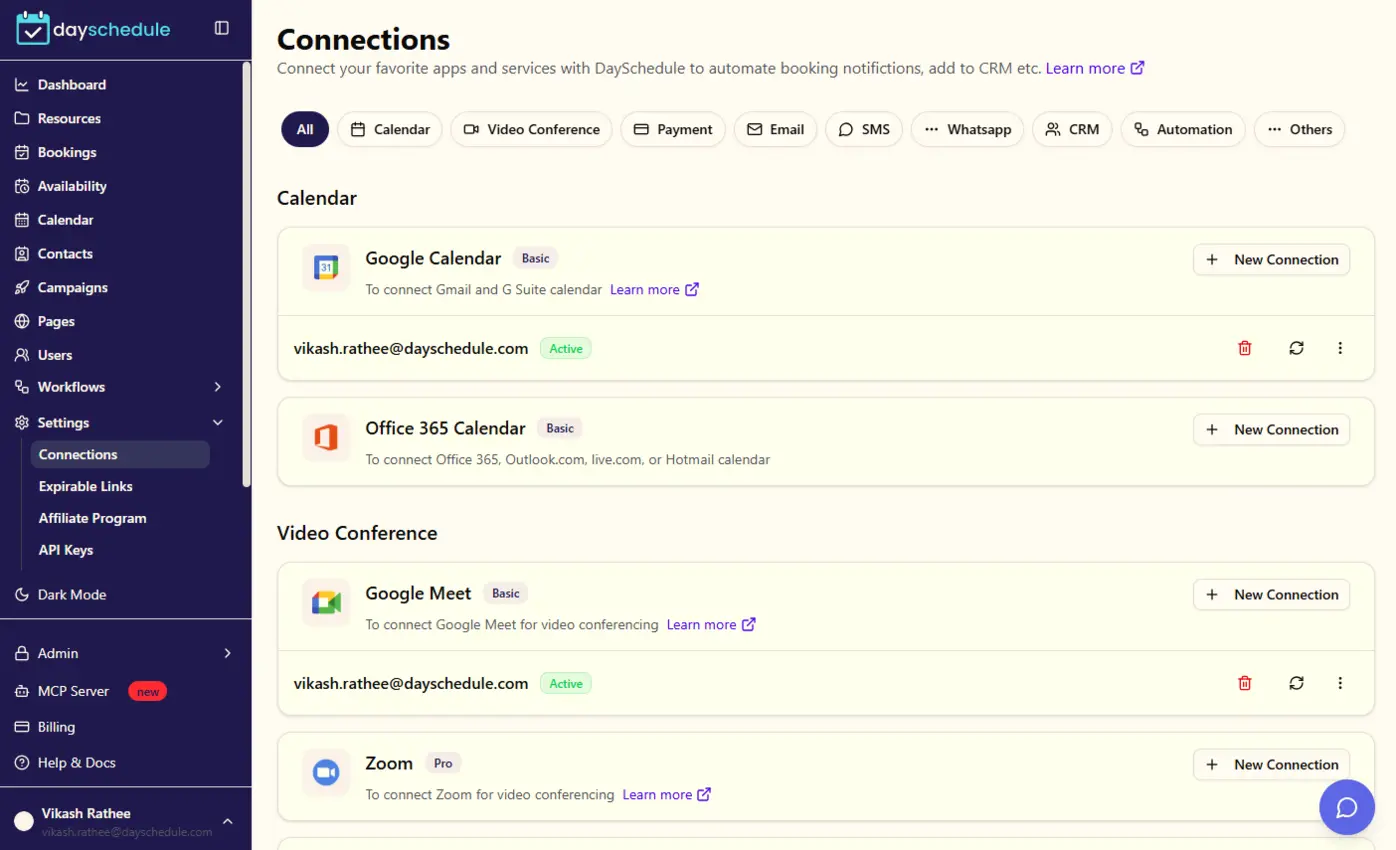
Sign up freeSync with your favorite calendars
Connect Google, Outlook or other calendars to prevent double bookings and automatically add new appointments to your calendar.
Set this up in minutes on your own DaySchedule account.
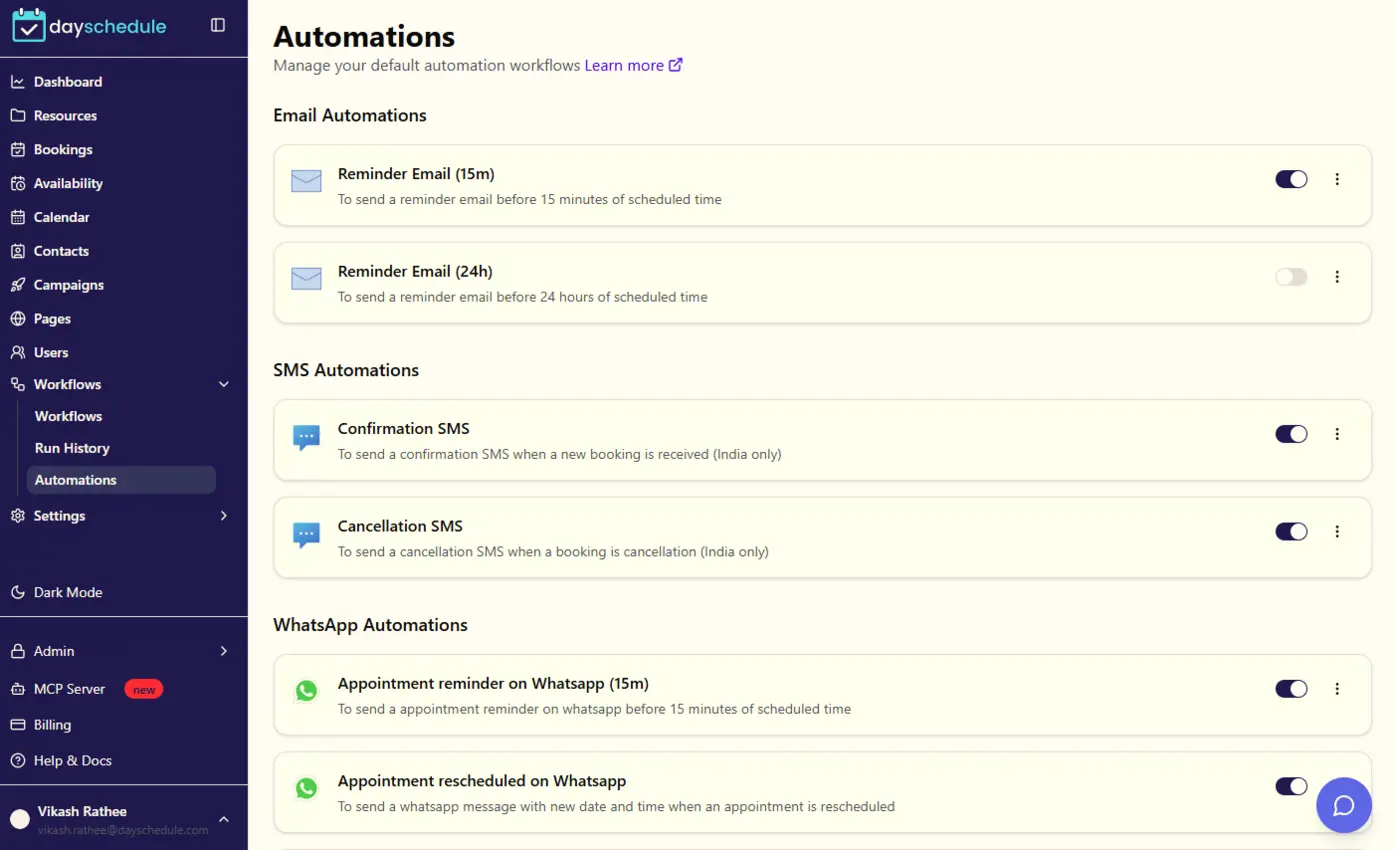
Sign up freeReduce no-shows with automatic reminders
Send confirmation and reminder emails or SMS before each appointment so clients show up on time.
Loved by teams worldwide
See what our customers have to say about DaySchedule
WhatsApp reminders have reduced no-shows by 90%. I no longer need to send reminders manually.
Amit Patel
Financial Consultant, Mumbai
The mini-CRM helps me track tasks and follow-ups easily in one place. Game changer!
Sneha Gupta
Career Coach, Bangalore
DaySchedule has transformed how we handle patient appointments. The interface is intuitive and the automation features save us hours each week.
Shipra Dubey
Doctor, Mumbai
Better than Calendly with relevant features and competitive prices to save more than 50% on Calendly pricing
Dr. Anamika
Life Coach, IIT Mumbai
DaySchedule has transformed how we handle client meetings. The interface is intuitive and the automation features save us hours each week.
Andie Knight
Marketing Director
The round-robin scheduling feature has helped us distribute leads fairly among our sales team. Our response time has improved significantly.
Andy Lea
Consultant, UK
Managing interviews has never been easier. The calendar integration and automated reminders have reduced our no-show rate by 50%.
Steve Strickland
HR Director, LA
DaySchedule is a game-changer for our startup. The ability to customize booking pages and automate reminders has made scheduling effortless.
Margi Williams
Career Services, USA
Frequently Asked Questions
What is group appointment scheduling?
Group appointment scheduling allows multiple customers or participants to book or attend the same appointment time. DaySchedule supports group appointments for classes, workshops, training sessions, webinars, group consultations, and other events with multiple attendees.
Can multiple people book the same appointment?
Yes. DaySchedule supports group scheduling where multiple participants can register for the same available time slot. You can configure the number of participants allowed for each group appointment.
Can I set a maximum number of participants for a group appointment?
Yes. You can set a maximum number of participants for each group appointment from Limits > Limit bookings. Set the maximum number of spots available per time slot to control how many participants can book.
Can I accept payments for group appointments?
Yes. You can charge participants when they register for a group appointment. DaySchedule supports payment integrations for paid classes, workshops, training sessions, group coaching, and other paid events.
Can I customize the registration form for group appointments?
Yes. You can customize the appointment registration form to collect information from each participant when they book a group appointment. This allows you to collect attendee details and other information required for your event.
Ready to get started?
Join thousands of satisfied users who trust DaySchedule for their scheduling needs.