Round robin is a scheduling method that help large sales, support and other teams manage incoming bookings by automatically assigning them to available members. This feature ensures fair meeting distribution and provides more time slot options for your customers.
Automatic staff assignment
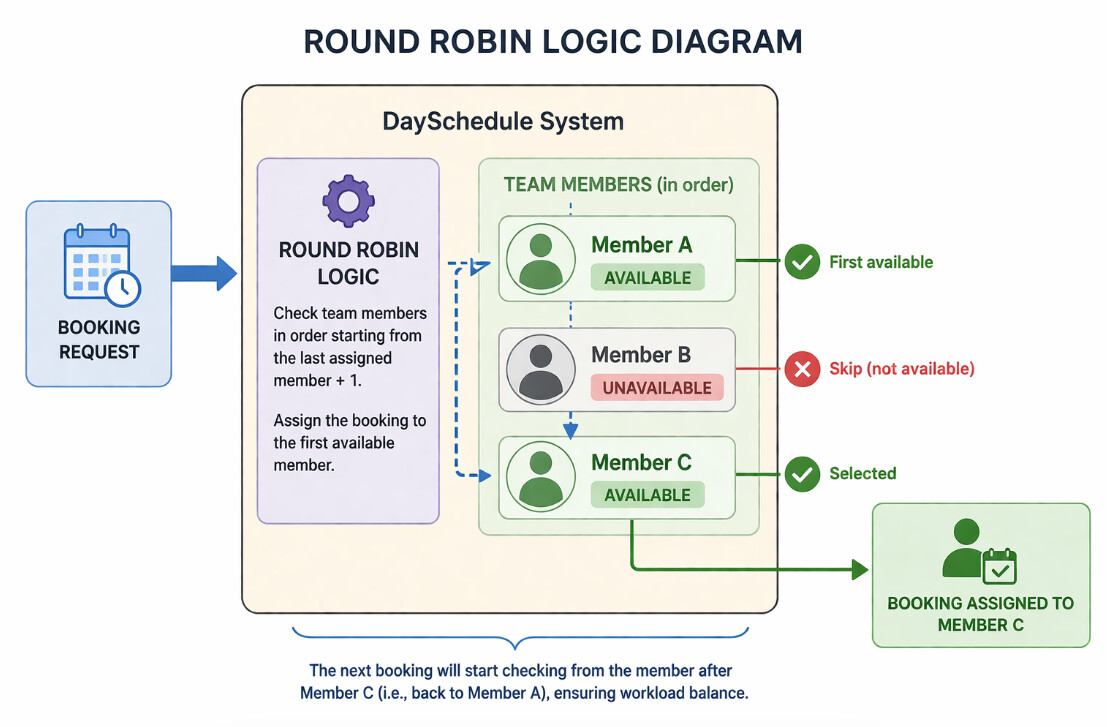
DaySchedule automatically picks the available staff for the selected time slot and assigns the booking. When a customer visits your booking page and selects a time, the system checks the availability of all team members included in the round robin event. It then identifies who is free and confirms the appointment with that specific member immediately.
Schedule selection
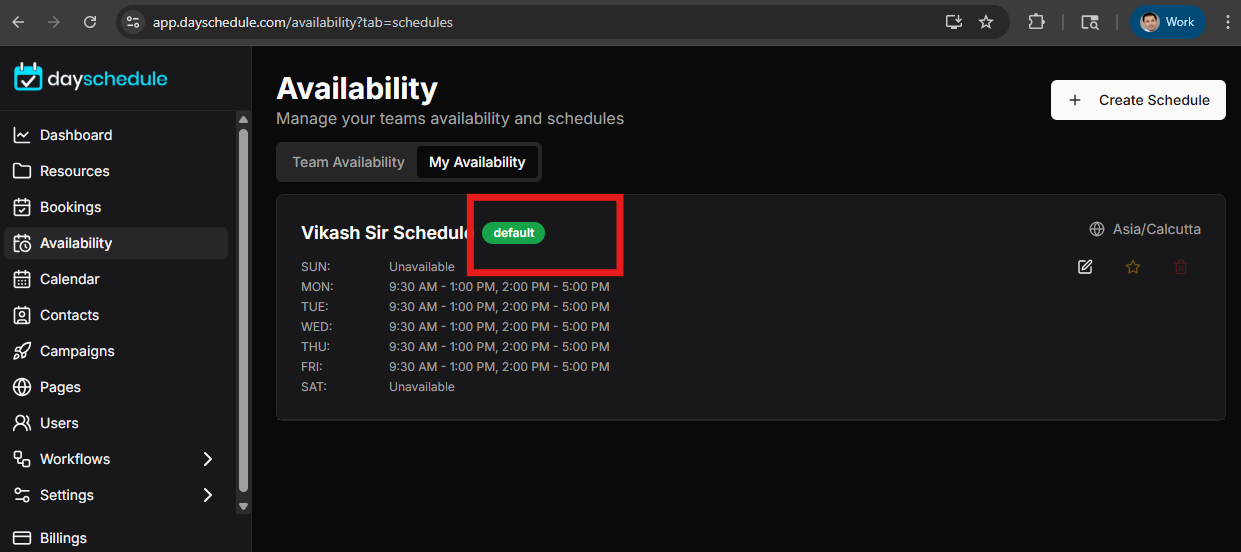
No manual schedule selection is needed during the setup of a round robin event. DaySchedule will automatically use the default schedule assigned to the round robin event members. The system identifies the default schedule by the star icon located next to the schedule name under Availability.
How to update member availability
To update a member’s schedule for round robin events, you must modify their primary availability settings.
- Go to the Availability section from the sidebar
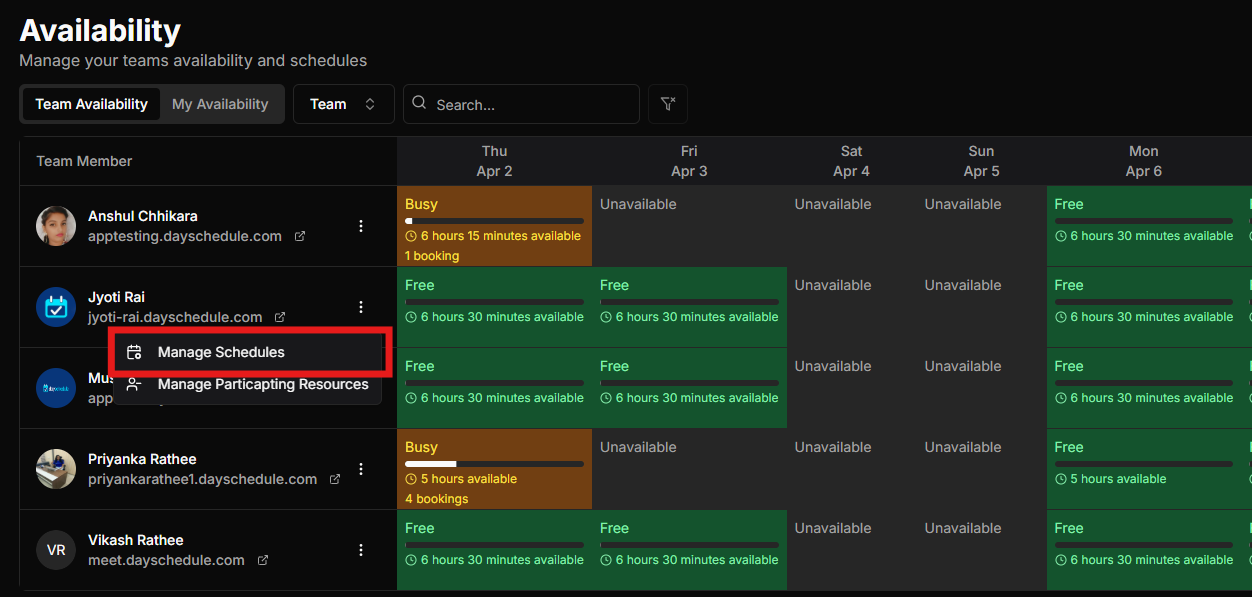
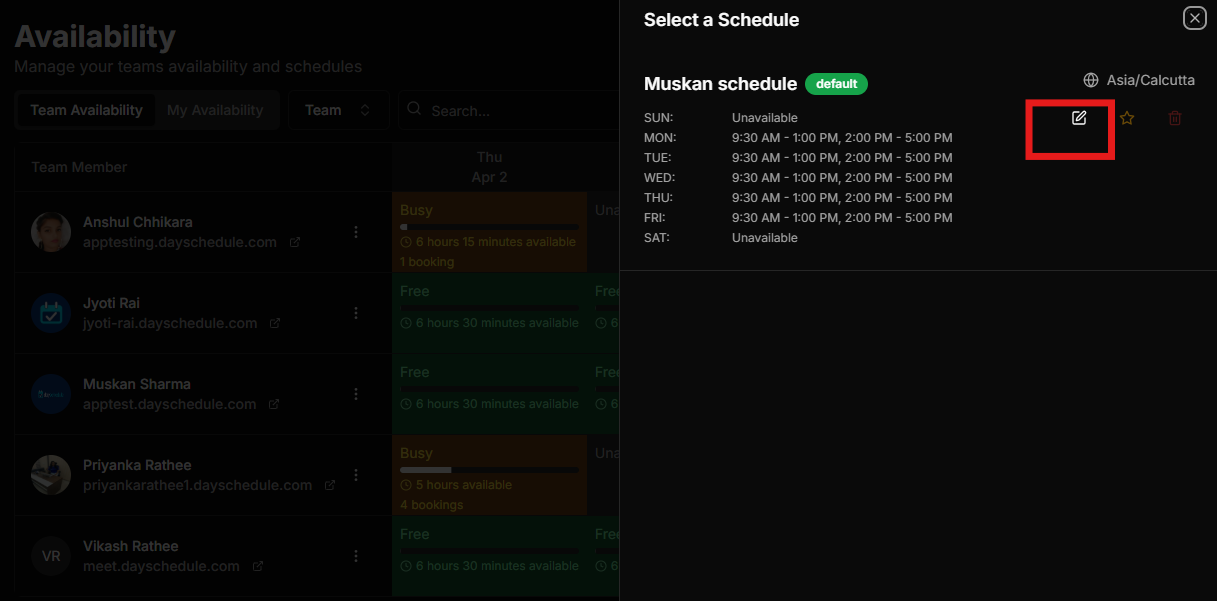
- Click on the Manage schedule beside the member name
- Edit the default schedule marked with the star icon
- Make the necessary changes to the time slots or working days.
- Save the changes to update the round robin logic.