
When you manage a large number of resources or team members, it can be difficult to find out which events a particular user is assigned to.
DaySchedule now lets you search for a team member and manage all of their assigned resources from one place. You can quickly see which events they are participating in and add or remove them as needed.
Manage a user’s resources
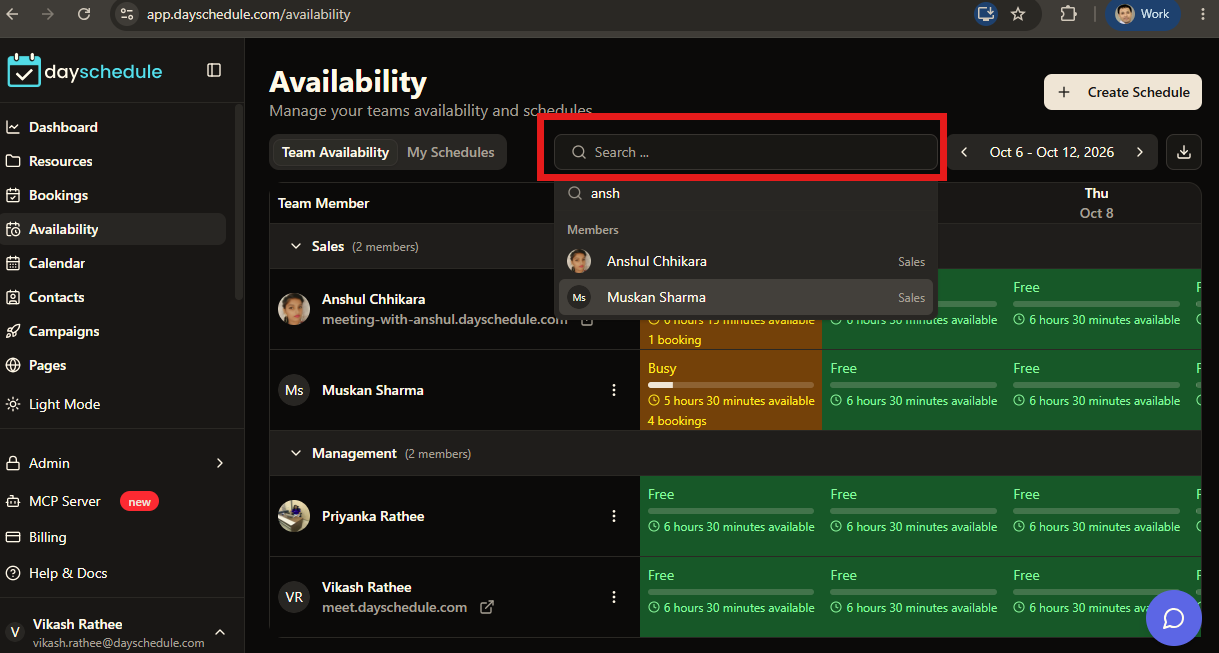
- Go to Availability page.
- Search for a team member. Use Search by team/name to find the user you want to manage.
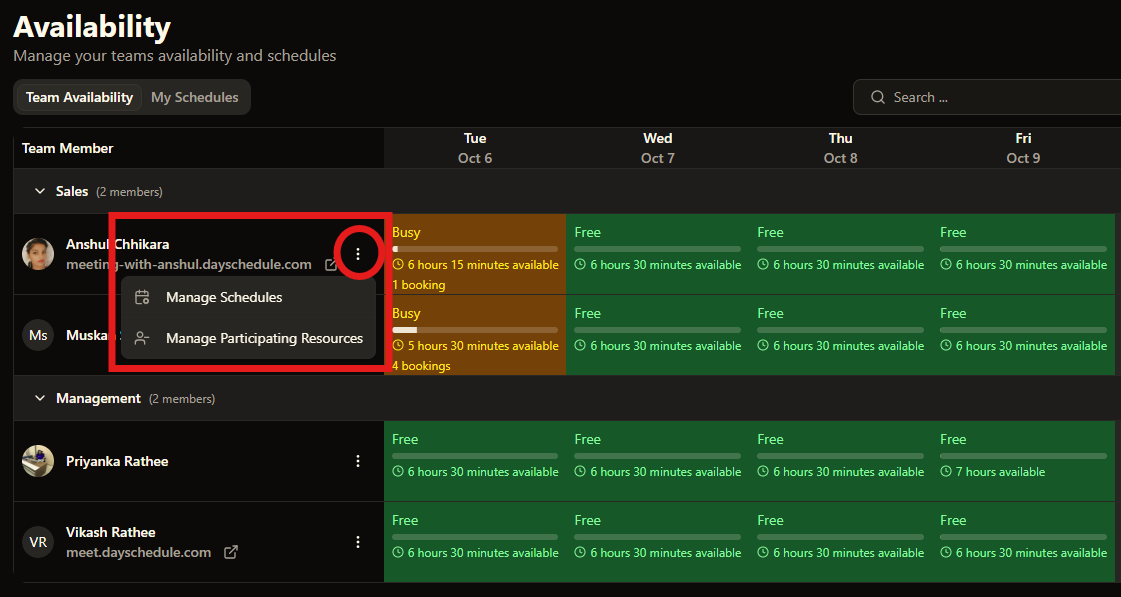
- Once you find the user, click Manage participant resources .
- This shows the events and resources currently associated with that user. Here, you can select or deselect resources. For example, select the events where the user should be a participant.
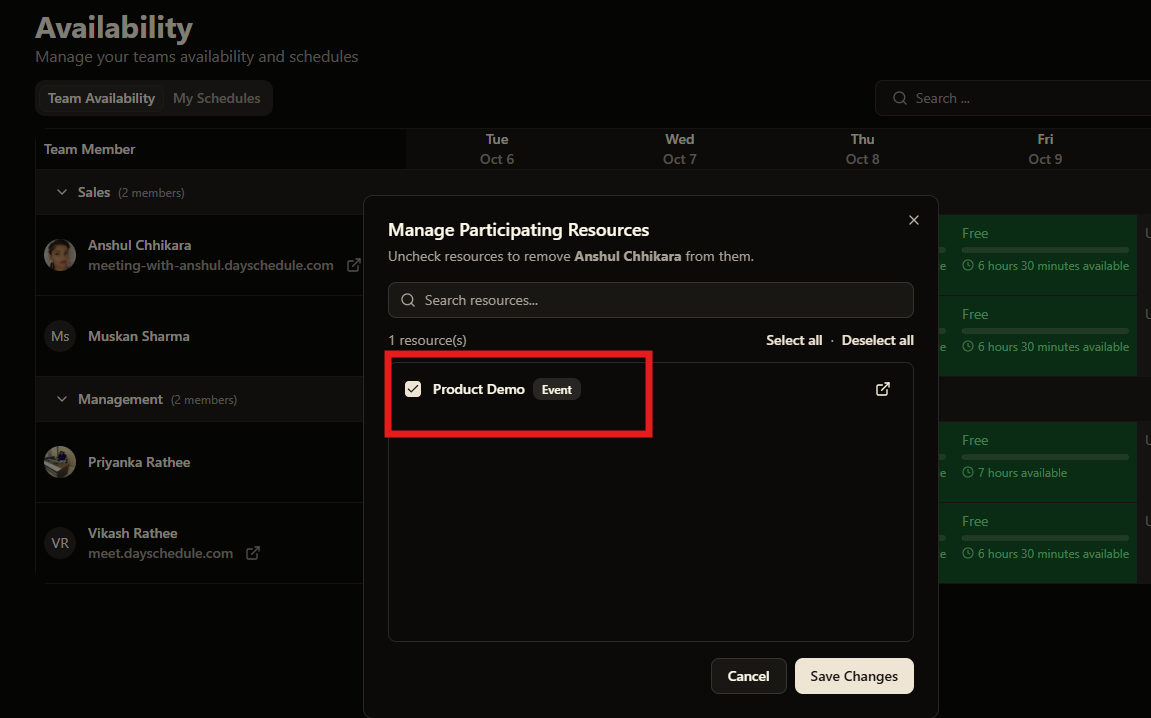
This works with round-robin event types, and you can also deselect an event to remove the user from it.
After selecting or deselecting the required resources, save your changes.
The user’s resource assignments are now updated.
So, Instead of opening each resource individually to check its participants, you can now start with the user and see their resource assignments in one place.