
DaySchedule now lets you show booked time slots directly on your online appointment scheduling page. When enabled, already booked slots appear crossed out in red, so visitors can quickly see which time slots are already booked.
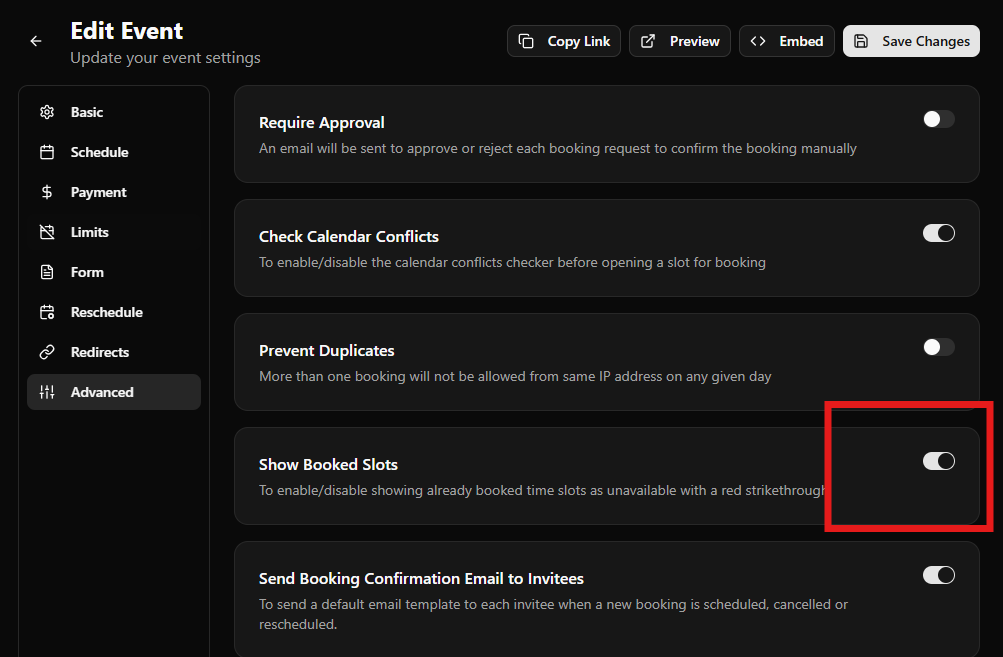
Follow these steps to enable/disable showing already booked time slots as unavailable with a red strikethrough
Show booked slots
- Open your event in DaySchedule
- Go to Event Settings > Advanced tab
- Scroll to find the Show Booked Slots option
- Enable it and save your changes
This helps to show your customers that your schedule is filling up. With booked slots displayed as crossed out in red, visitors can instantly see that many appointment slot times are already taken and only a few slots remain.
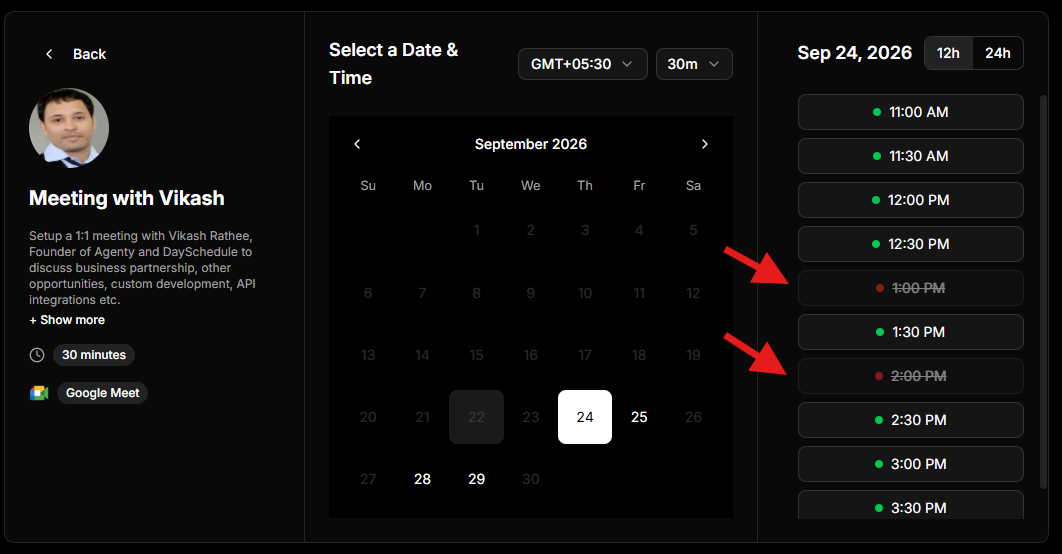
This creates a clear sense of availability and encourages customers to book an open time before it’s gone.