
Reminders are the easiest way to cut no-shows. Automations are ready-made reminder workflows you switch on with one click, with no wording or timing to set up. They run for every booking on all your resources.
Open Workflows, then Automations.
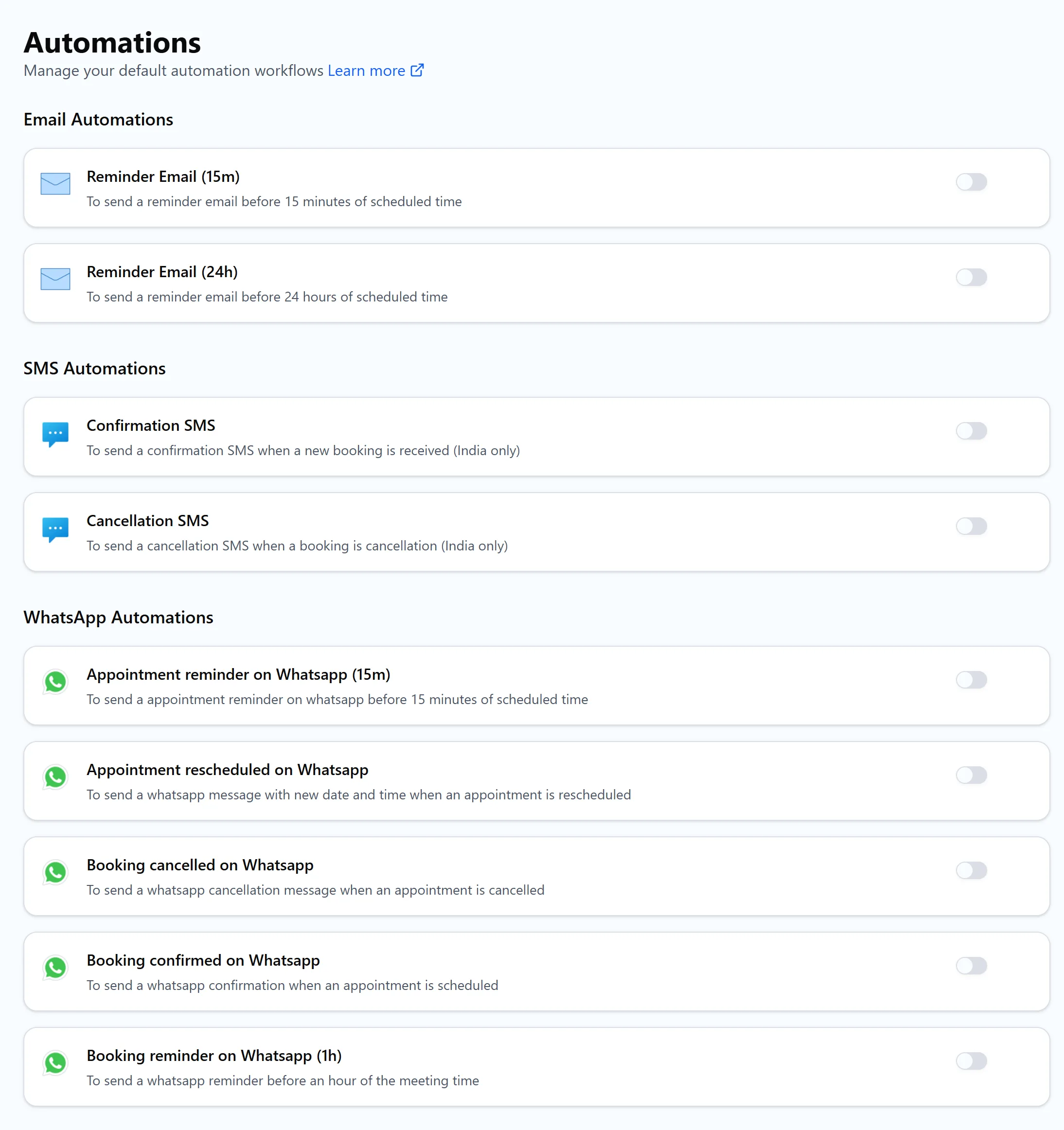
Email reminders
- Reminder Email (15m) sends a reminder email 15 minutes before the scheduled time.
- Reminder Email (24h) sends a reminder email 24 hours before the scheduled time.
Turn on both for important meetings: the day-before email gives people time to reschedule, and the 15 minute one brings them to the call.
SMS messages
- Confirmation SMS is sent when a new booking is received.
- Cancellation SMS is sent when a booking is cancelled.
These built-in SMS automations work for Indian phone numbers only. For other countries, connect Twilio or Textlocal under Settings, then Connections. See send appointment reminders with Twilio.
WhatsApp messages
- Appointment reminder on Whatsapp (15m) sends a reminder 15 minutes before the scheduled time.
- Appointment rescheduled on Whatsapp sends the new date and time when a booking is rescheduled.
More WhatsApp automations may be listed below these on your account. Ask for a phone number on your booking form so there's a number to send to. To send from your own WhatsApp Business number, see WhatsApp reminders with Wati, custom WhatsApp templates and AiSensy campaigns.
Turn an automation on or off
Click the switch on an automation to turn it on for all your resources, and again to turn it off. Every reminder it sends shows up in the Run History and on the Jobs tab of the booking.
Automations are part of the paid plans. On the free plan, switching one on shows "Upgrade to Pro".
Need different timing or wording?
Create your own workflow instead. You choose the trigger, such as 2 hours before or 1 day after, the resources it applies to, and the email content with dynamic variables.